
Tool Rotation
What the heck is tool rotation?
The tool rotation is essentially the O, A, T values of the tool, that determines what direction and rotation of the X,Z,Y vectors.
Depending on the orientation of the flange & the tool relative to the robot, you will need to adjust the transformation values of the tool so that it's orientation and tool movement matches the base movement X, Y, Z vectors.
Why?
See these two lines for example:
LMOVE pick_location + above_pick
LMOVE above_pick + pick_locationIn this instance, above_pick is simply a positive z offset, and pick_location is an arbitrary move at x,y,z,o,a,t coordinates. Without adjusting the tool values, these two lines produce different end positions.
In addition, for the purposes of maintaining consistency and readability throughout the code on all of the robots we operate, we ideally want offsets to happen after the main location that you're moving to. So more of the first line, and less of the second line when coding your robots.
Visual Examples:
This is the 'normal' tool movement vectors based on the position the flange is in. We want to change these tool vectors to match the base/world vectors.
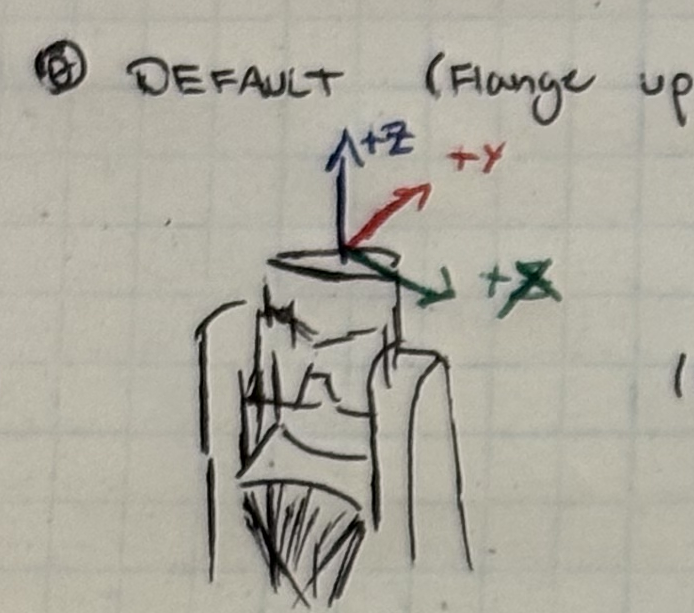
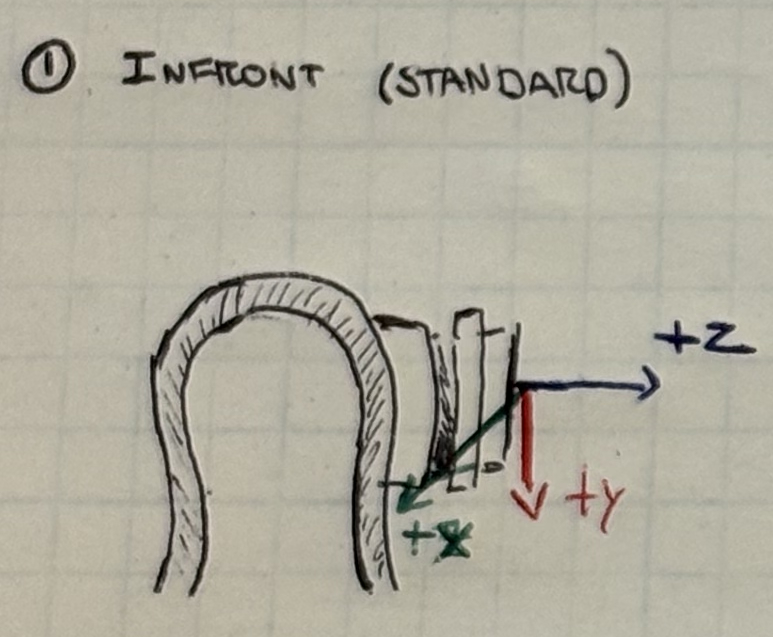
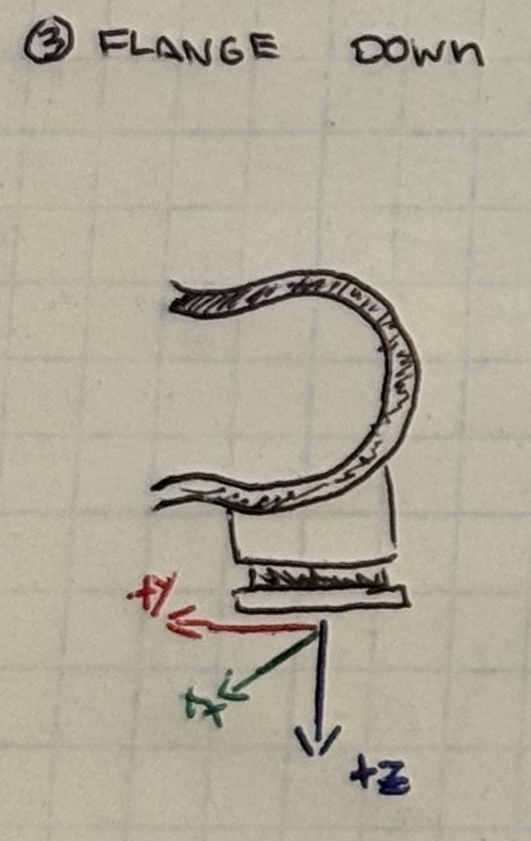
How?
  POINT your_tool = TRANS (0, 0, 0, x, x, x)
  TOOL your_tool
With these two lines of code within one of your programs (preferably where you initialize your variables).
Depending on your flange position, as well as the tool you have on the flange you may have to adjust these values. All of these given values are based on assuming you are working at the front of your robot relative to the back where the cables plug into the robot.
- Infront - (0, 0, 0, 90, 90, -90)
- Infront (With Tool Changer) - (0, 0, 0, 60, 90, -90)
- Flange Down - (0, 0, 0, 90, 180, -90)
After all is said and done, you will need to reteach your waypoints that contain O,A,T values. You do not need to do this for waypoints that only have XYZ components.
The easiest way to do this is:
  POINT depanning_tool = TRANS (0, 0, 0, 0, 0, 0)
TOOL depanning_tool- Comment out your adjusted tool values, and put these in.
- While teaching the robot, jog through your tool values.
- Move to the desired waypoint.
- Comment in your new tool values.
- Without moving the robot, update your waypoint.
- Repeat as necessary for as many waypoints that you have.