[01] - Installing with Package Manager
Installing with the Package Manager is the easiest way to get Beckhoff items on to your computer.
Package Manager Download
[Requires admin priv]
Once the package manager is installed it will prompt you to select a Feed and Sign-In
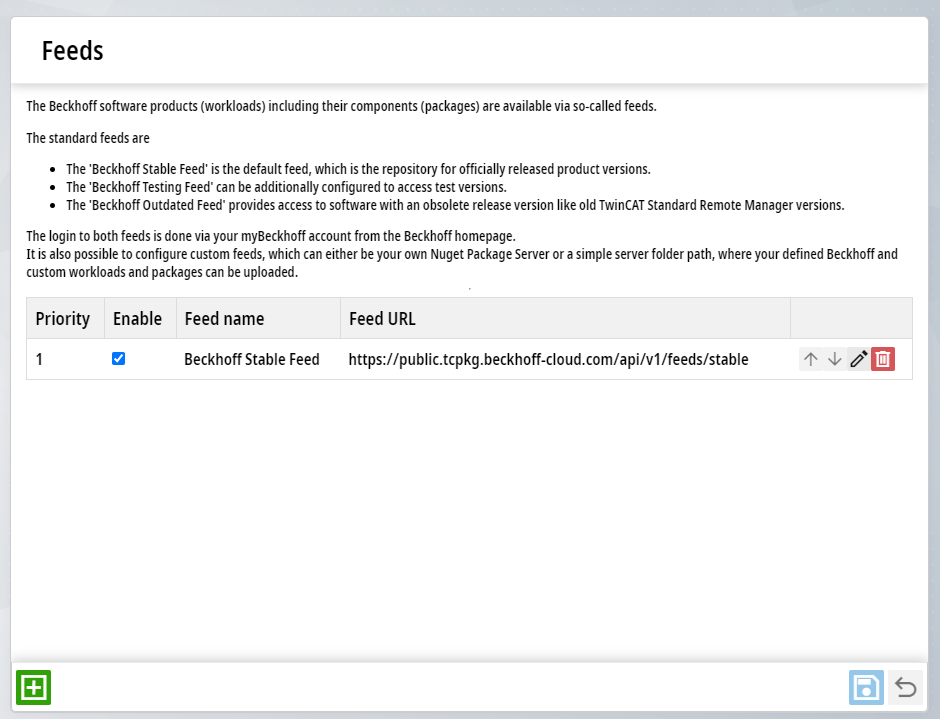
Choose the Stable Feed and sign in with your Beckhoff Account. If you don't have a Beckhoff Account, create one here.
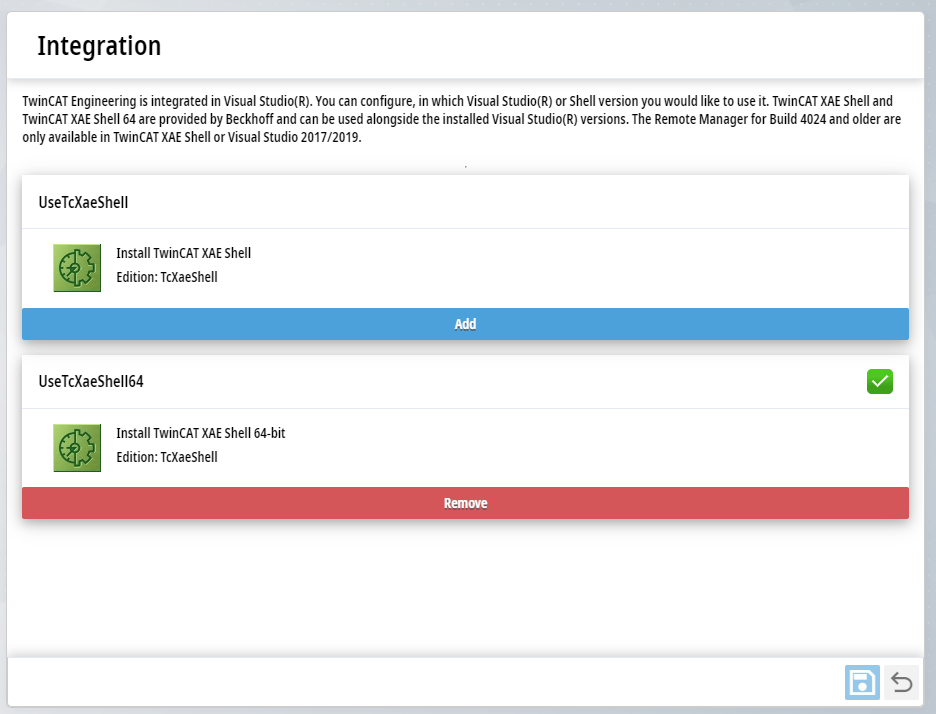
Install the 64 bit TcXaeShell.
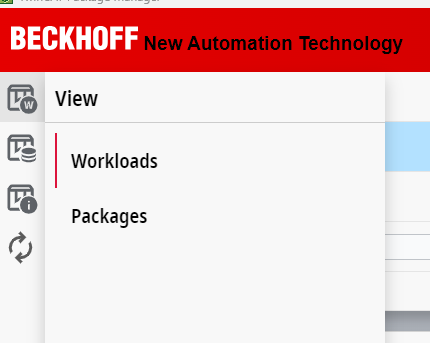
Once the full page loads, make sure that View>Workloads is selected
Installing Packages
Install the following packages:
General
TwinCAT Standard - Engineering - [4026.18.0]
TwinCAT Standard Remote Manager - Engineering - [4026.18.0]
TCxxxx | Base
TC170x | TwinCAT 3 Usermode Runtime - Runtime - [4026.18.0]
TExxxx | Engineering
TE1030 | TwinCAT 3 Document Generation - [Latest]
TE2000 | TwinCAT 3 HMI - Engineering - [Latest]
TE9000 | TwinCAT 3 Safety Editor - Engineering - [Latest]
TwinCAT Multiuser - Engineering - [Latest]
TF1xxx | System
TF1800 | TwinCAT 3 PLC HMI - Runtime - [Latest]
TF1810 | TwinCAT 3 PLC HMI Web - Runtime - [Latest]
Versioning
Where a specific packager version is called out, that version MUST be installed.
As of [2025.10] the Robotics team has standardized on TwinCAT 3 V.4026.18.0, dispite 4026.19.0 being out.
To install an older version of a package:
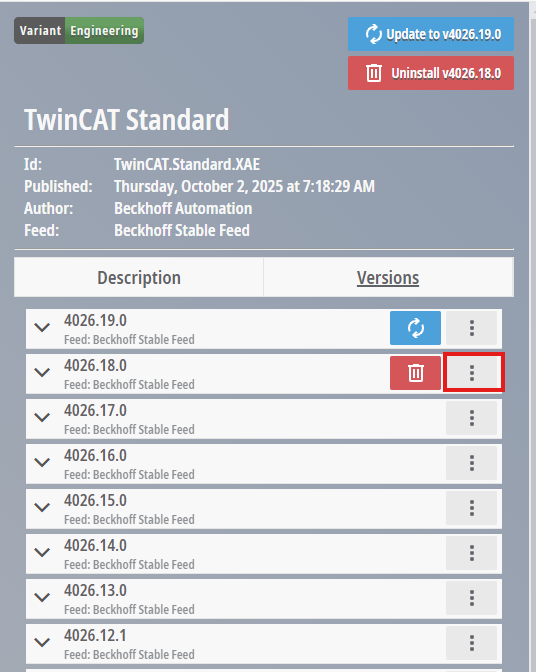
Select the package in question, then select Versions
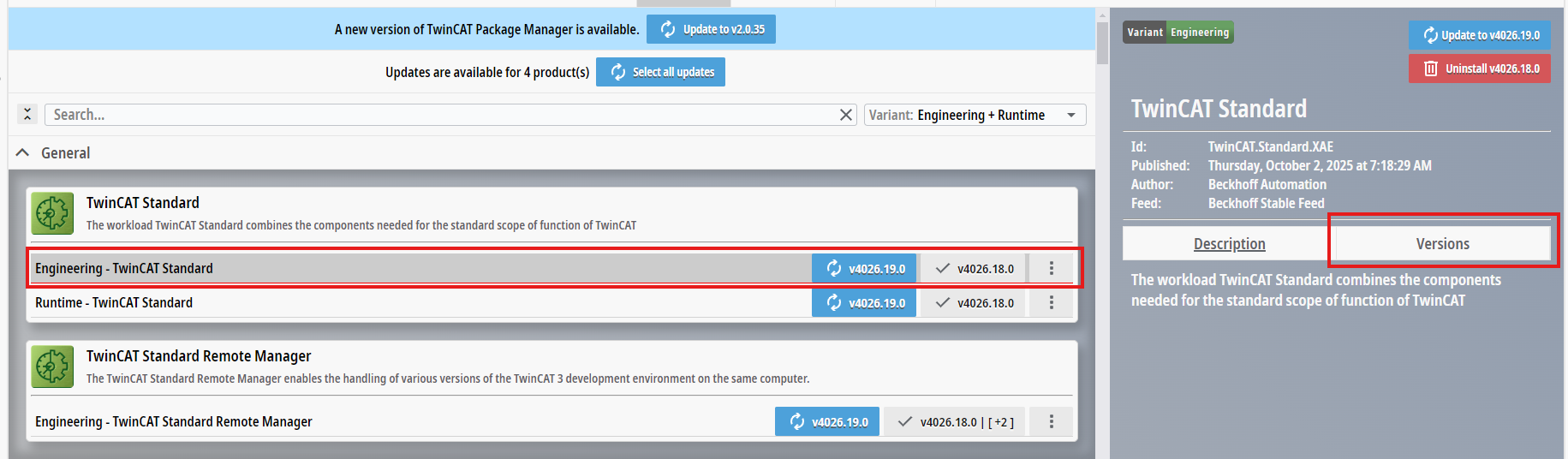
TwinCAT Standard Remote Manager allows for multiple version of TwinCAT 3 to be installed at the same time, so there is no need to delete older (or newer) versions before downloading, so long as you also have that package.
Click the three dots [...] next to a version and download the one you need.