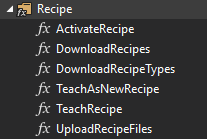
Recipe Management
How to set up recipe manager
PLC
To set up the recipe manager in your PLC project you will need to have a reference to the function block. Additionally, you will need a STRUCT, POU or GVL that contains your variables. I highly recommend using a STRUCT and keeping all your variables organized in one location.
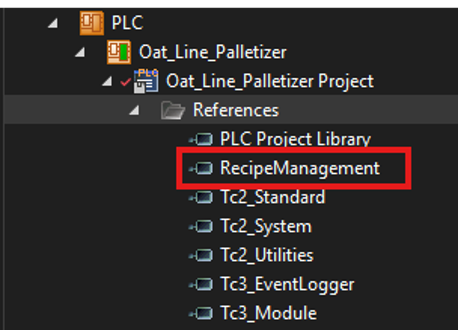
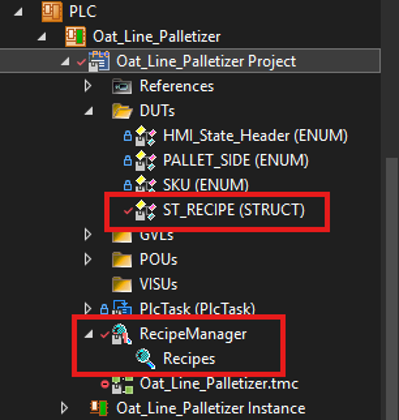
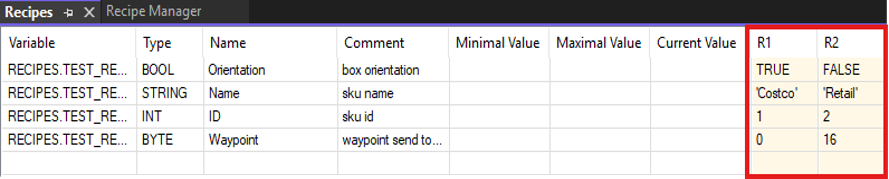
Once you have your recipe manager and recipe added, you'll have the following page. Make sure your recipe settings are as shown.
Note: Your file path should be on the device not in the project files. Inside your folder you’ll find your recipe(s) as a text file.
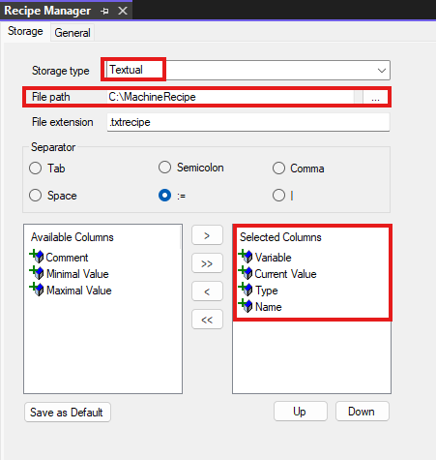
After the initial set up, you can now bind your variables to the recipe and perform an online change to update the recipe.
HMI
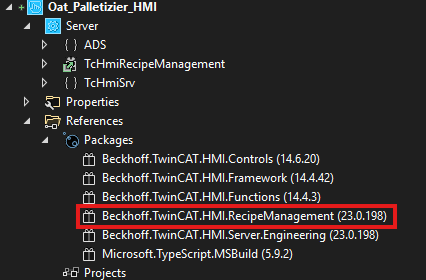
Like the PLC project, the HMI also requires a Recipe Management package. This gives you access to the recipe management controls in the toolbox as well as the parts for the configuration page for your recipes.
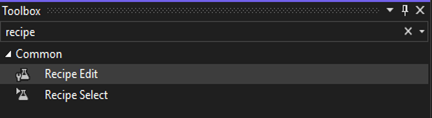
In the HMI toolbox you have two controls. Recipe Edit allows you to directly edit your recipes on the HMI while Recipe Select is essentially a selector. TwinCAT HMI also provides you with functions inside the properties and actions of any control.