
TwinCAT Git Integration
Setup
Under GIT > Settings
Input your GIT credentials here and make note of the location for your repos. I recommend you pin it in your File Explorer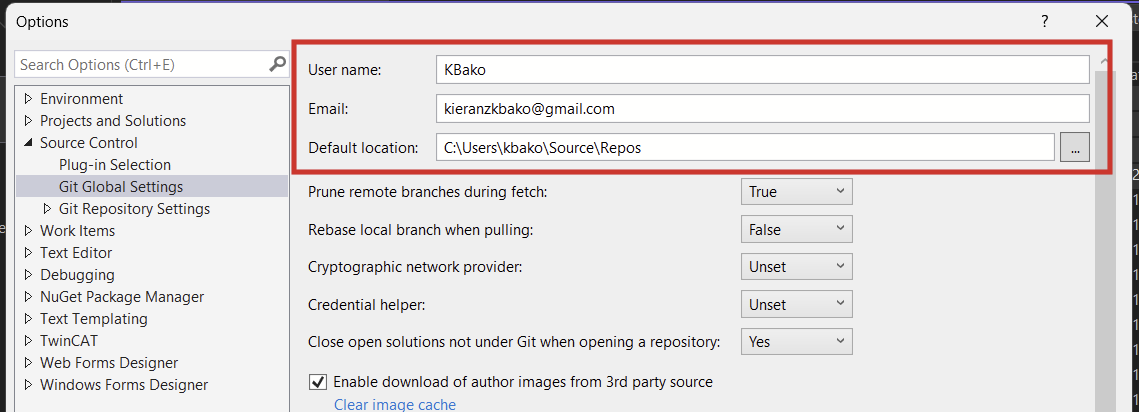
Ensure these settings are as shown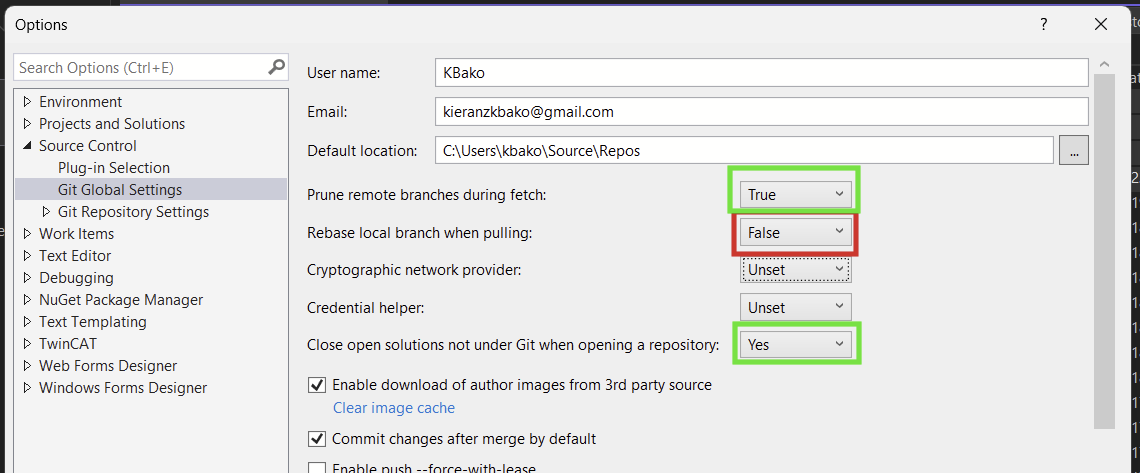
Ensure these boxes are checked off
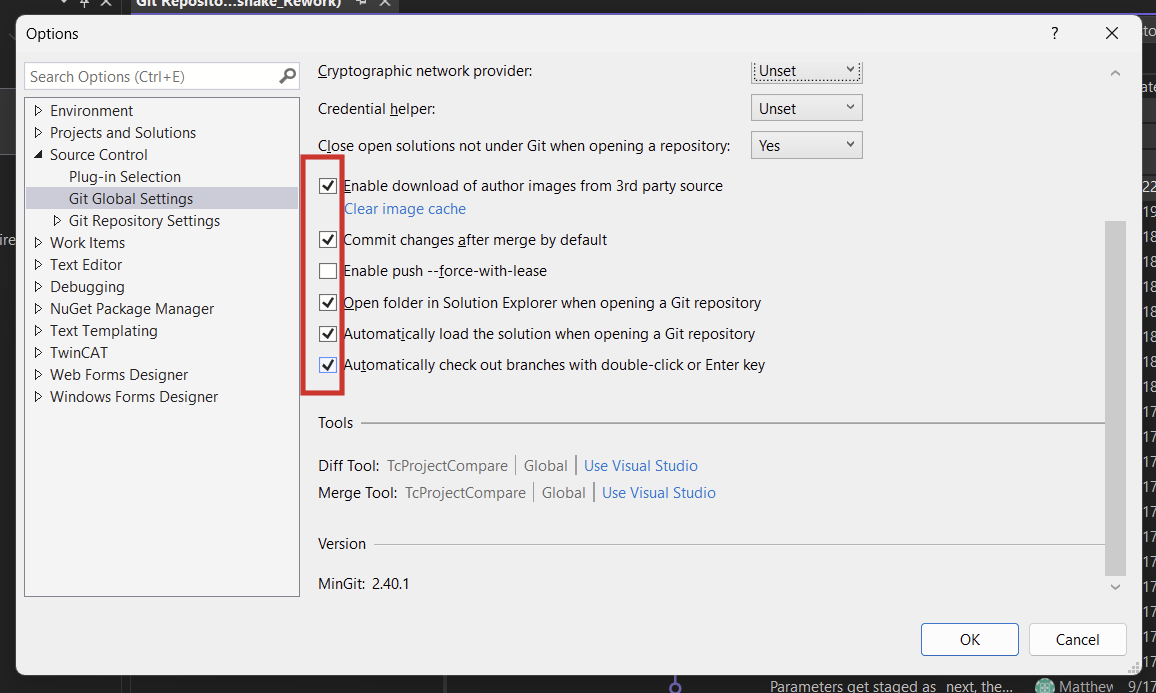
Under Git Repository SettingsSettings, if you need to change the settings for a specific repo
Make setSet the following ( with your name and email)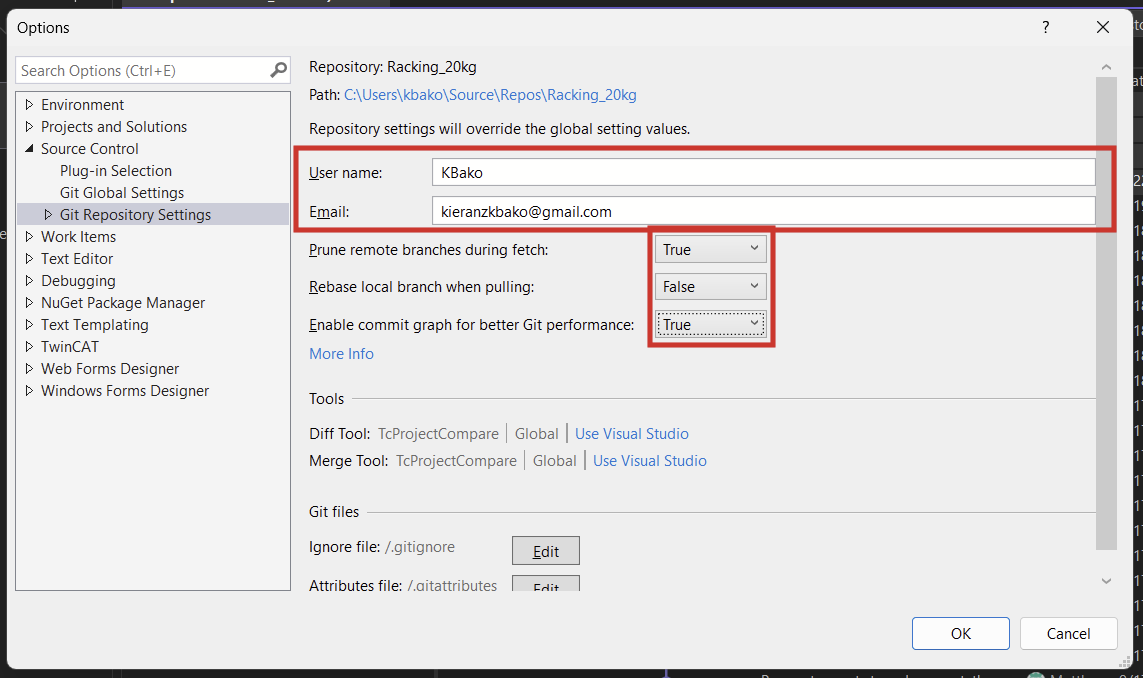
Instructions on how to set the compare tool for Git (diff checking) can be found here: Beckhoff Information System - English
Cloning
Make sure you have a git account and are added to the SilverHills Organization (Ask Matt or Kieran)
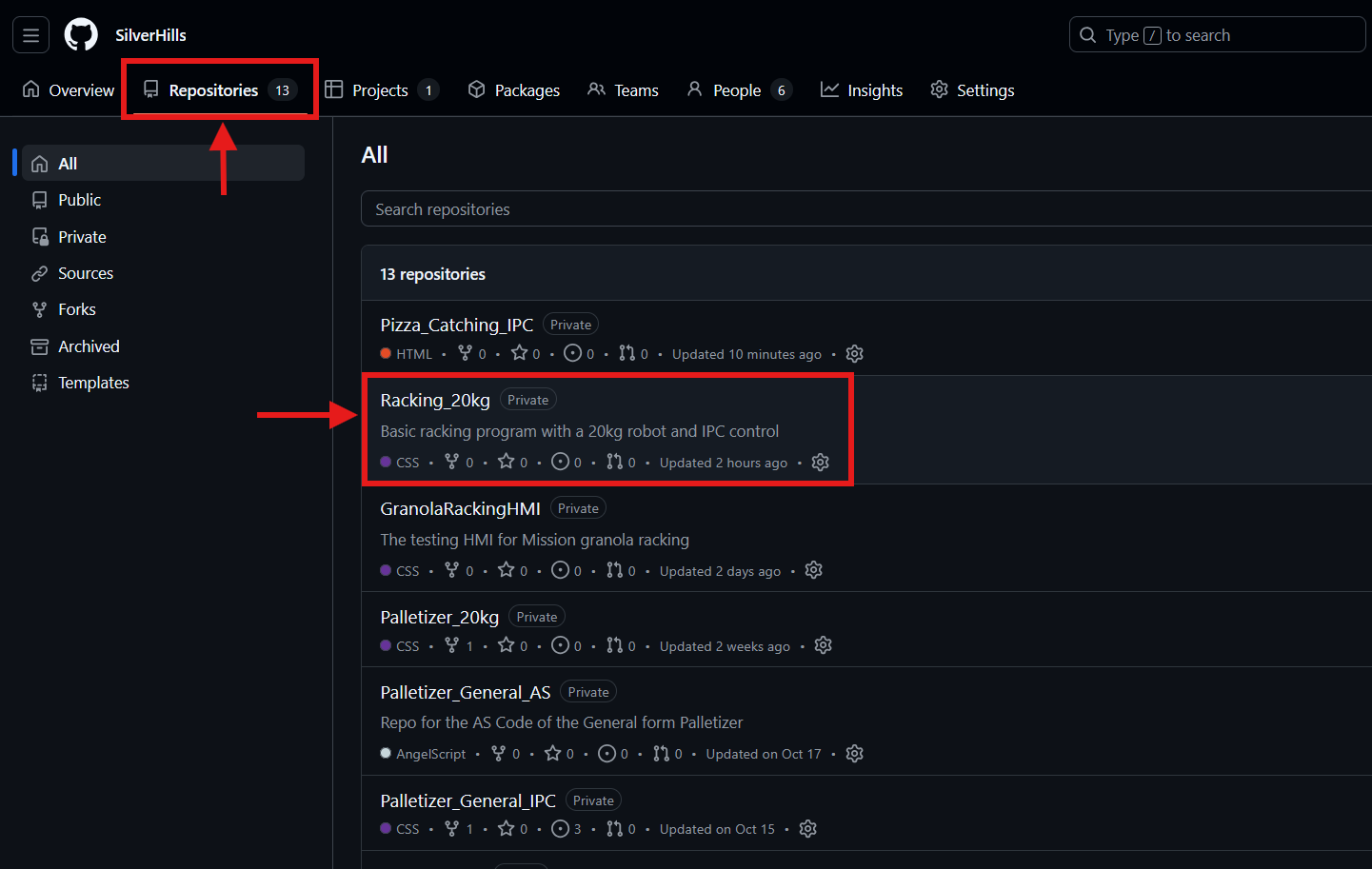
Copy the link to the repo
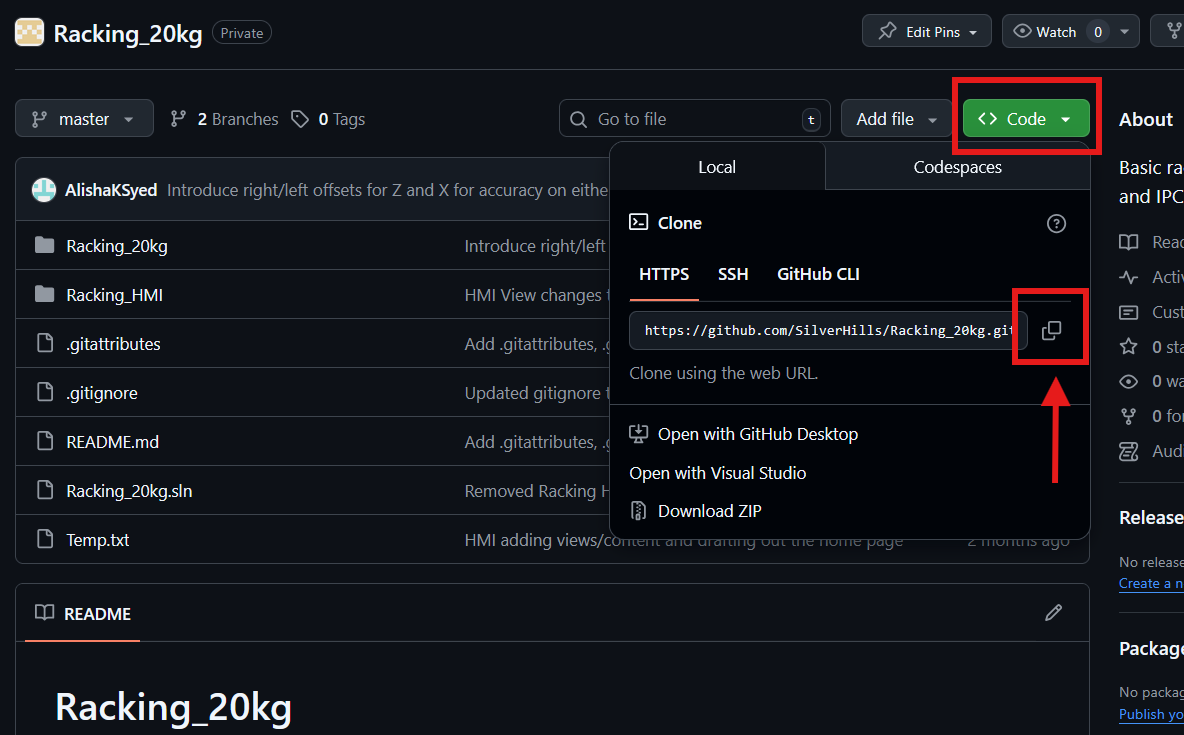
In the Path, paste the link that you copied from github.
Leave the Repository location to its default path. TwinCAT git works best the closest to C: as possible.
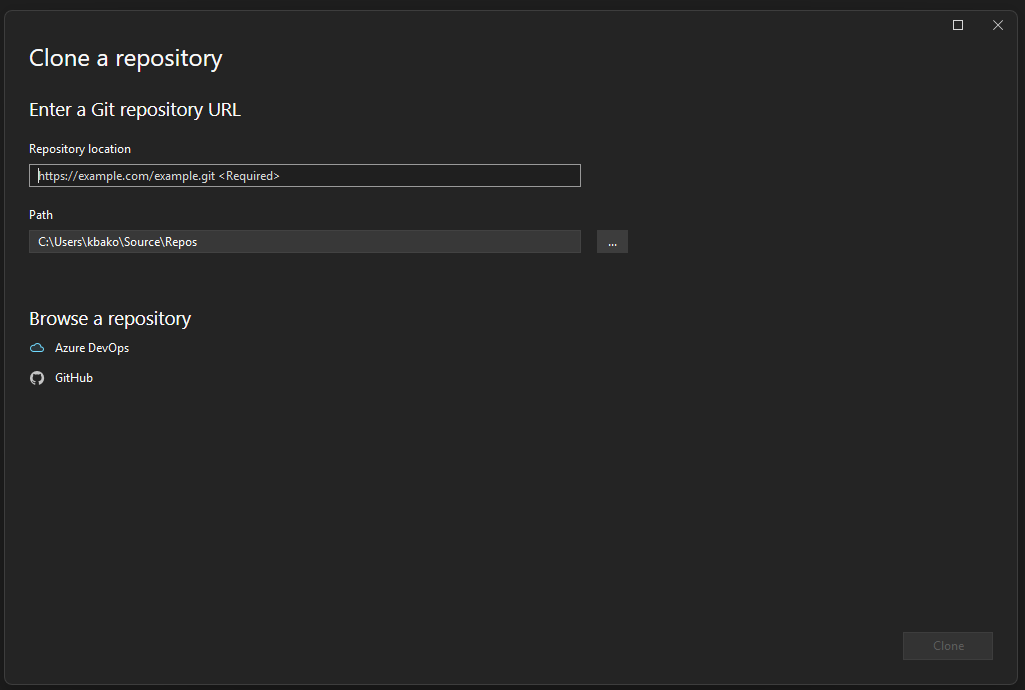
Click Clone
Your repo will open.
Usage
Commands
Key Concepts
Repository