Changing the Batteries (inside the arm)
The following video outlines the procedure for replacing the D-Cell batteries in the base of the FANUC robot: How to change your Fanuc Robot Battery - Tool Tip Tuesday #72
Follow the steps below to replace the batteries:
- Turn the robot controller on and allow it to fully boot. DO NOT turn off power to the robot when changing the batteries as this will lose the robot's encoder / position data.
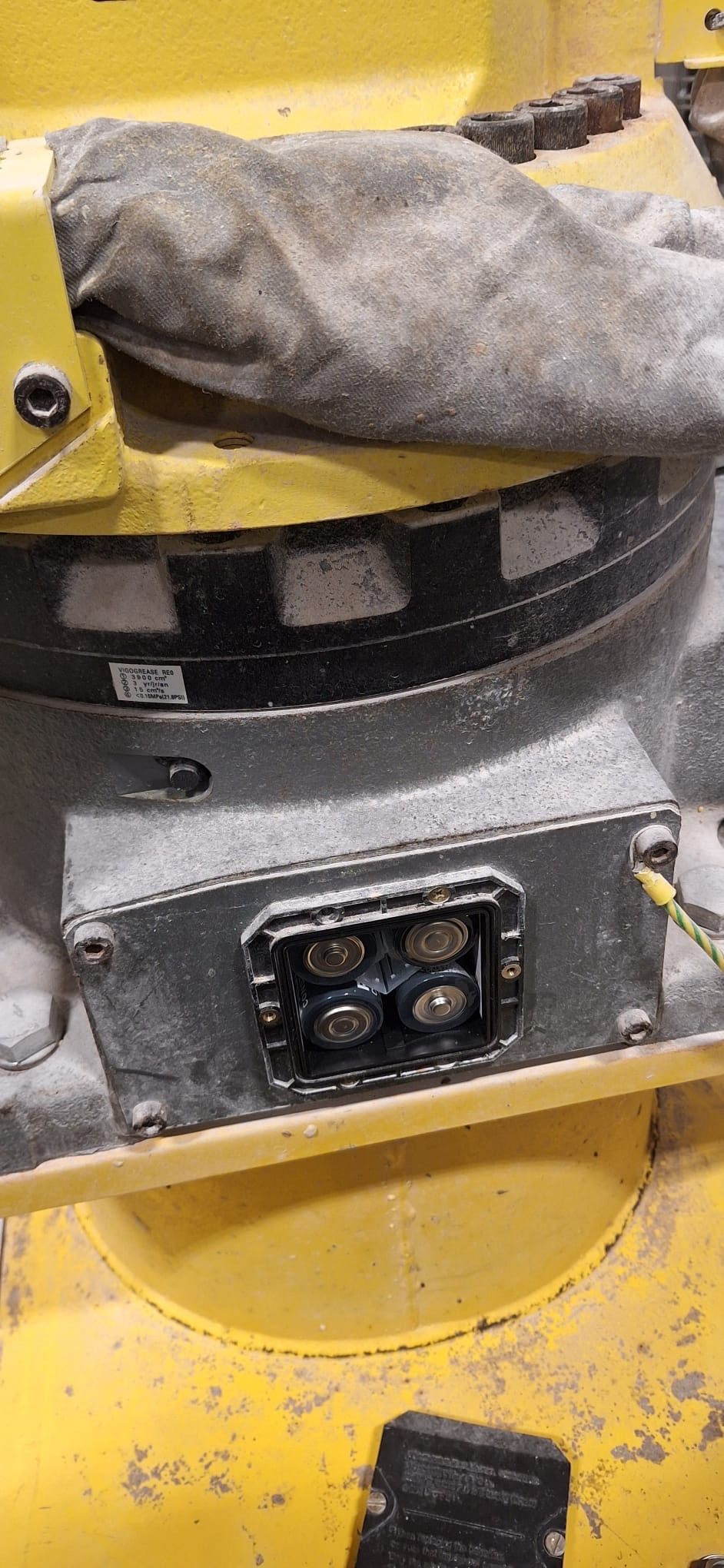
- Remove the battery compartment access cover from the base of the robot. Inspect that the gasket seal is still intact, and not fraying.
- Take note of the battery polarity, then replace the old batteries with new ones.
- Re-install the battery compartment access cover.
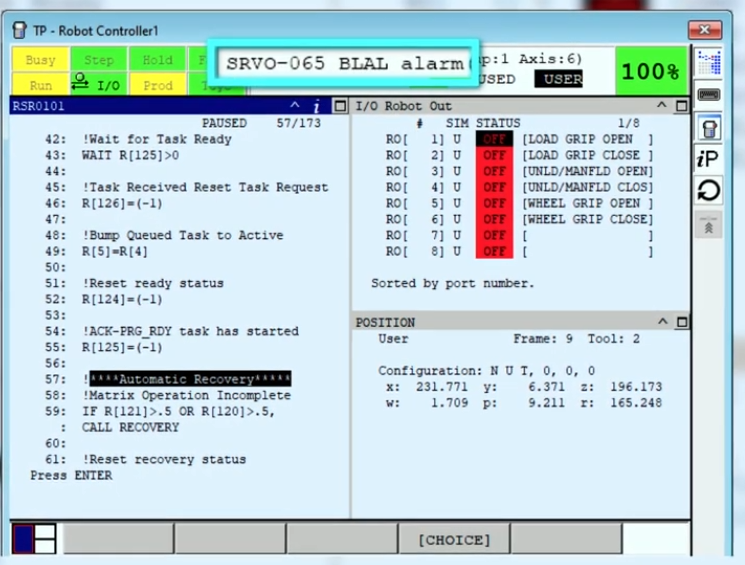
- Press the reset button on the Teach Pendant and ensure all alarms are cleared. There will likely be a "BLAL alarm" from when the batteries were removed in Step 3. If this is not cleared with the press of the reset button, check that the batteries were installed with the correct polarity. Do not move on to the next step until the battery alarm clears.
- You may now turn off the robot controller if needed.