Jogging the Robot
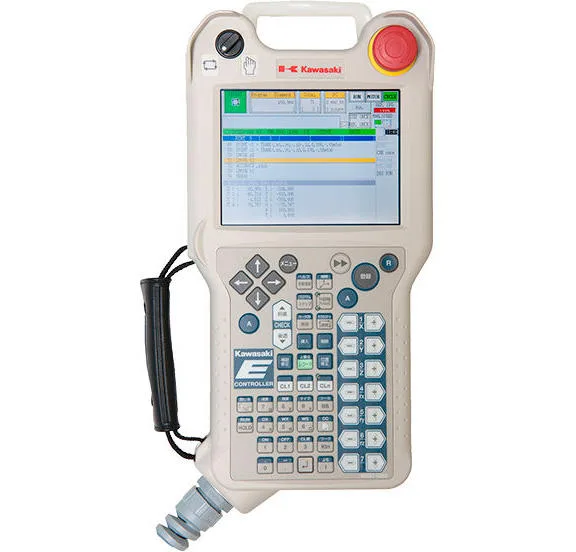
Follow the below steps to jog the Kawasaki robot:
- Ensure the teach pendant and robot controller are in Teach mode.
- Ensure the speed of the robot is set low (2 or 3) to avoid sudden movements of the robot arm while jogging.
- Ensure the coordinate frame of the robot is set to Base or Tool. It is not recommended to use the Joint coordinate frame unless the robot has entered a singularity and cannot be jogged using the other two coordinate frames.
- Hold the "deadman" 3-position switch on the back of the pendant in the middle position. Pressing too far, or not pressing at all will Emergency Stop the robot while in Teach mode.
- Press and hold the "A" button on the pendant and press the "Motor On" button.
- Hold the "A" button and press one of the axis jog buttons (-X, +X, -Y, +Y, -Z, +Z, etc) to jog the robot. Holding the jog button will continue to jog the robot.
- After jogging the robot, remember to put the teach pendant and robot controller back into Repeat mode. This allows the PLC to remotely start the robot.