
Creating a Library
- Create a new TwinCAT PLC Project

- Add in a Standard PLC project
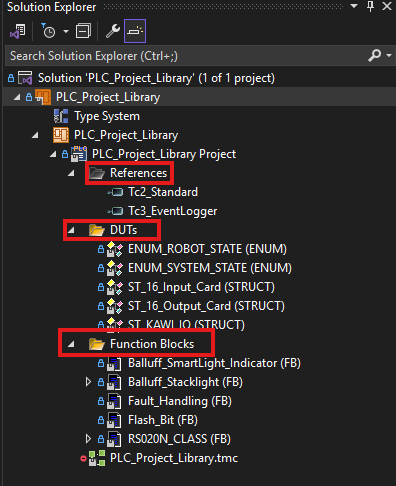
- Your project should only contain References, DUTs, and Function Blocks. Only add in files that will not be edited in future projects.

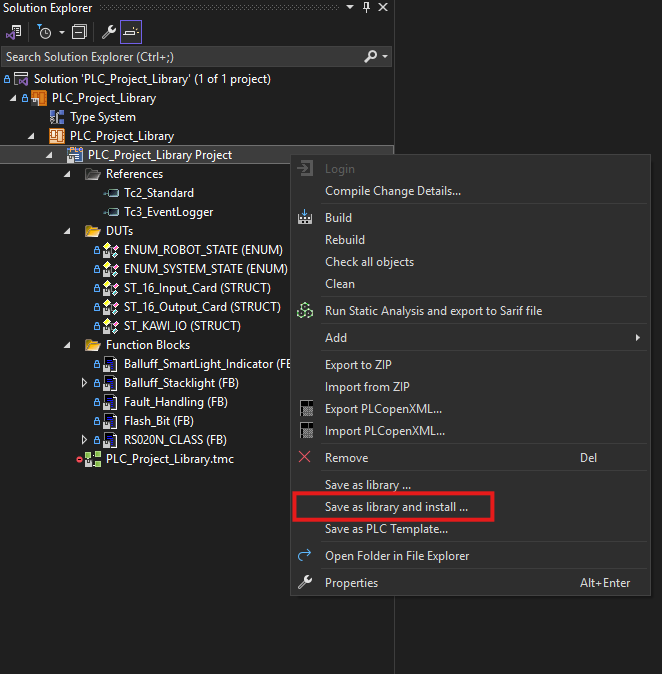
- Right click on the project and select 'save as library and install
You'll be prompted to add
- Company Name (SilverHills Bakery)
- Version Number
- Title
- A brief description of what the library is/does (Not mandatory but is important to add when creating our own libraries)
You can also add/edit libraries under PLC -> Library Repository -> Company -> SilverHills Bakery
Updating Version
Right click on your PLC Library Project and go to Properties. This will open up a page with the project details.