ADS Communication
Overview
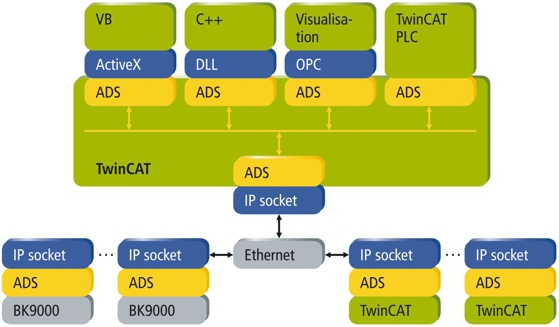
The ADS protocol (ADS: Automation Device Specification) is a transport layer within the TwinCAT system. It was developed for data exchange between the different software modules, for instance the communication between the NC and the PLC. This protocol enables communication with other tools from any point within the TwinCAT. If it is necessary to communicate with another PC or device, the ADS protocol is used on top of TCP/IP. Within a networked system it is thus possible to reach all data from any point.
 Documentation
In plain language, ADS is the communication protocol that piggybacks off of Ethernet IP. ADS holds a table of AMS Net ID Addresses and corresponding Ethernet IP addresses. You target your system with the appropriate AMS Net ID and you target looks up the associated Ethernet IP address to establish the communications.
Application
Establish a Route to IPC
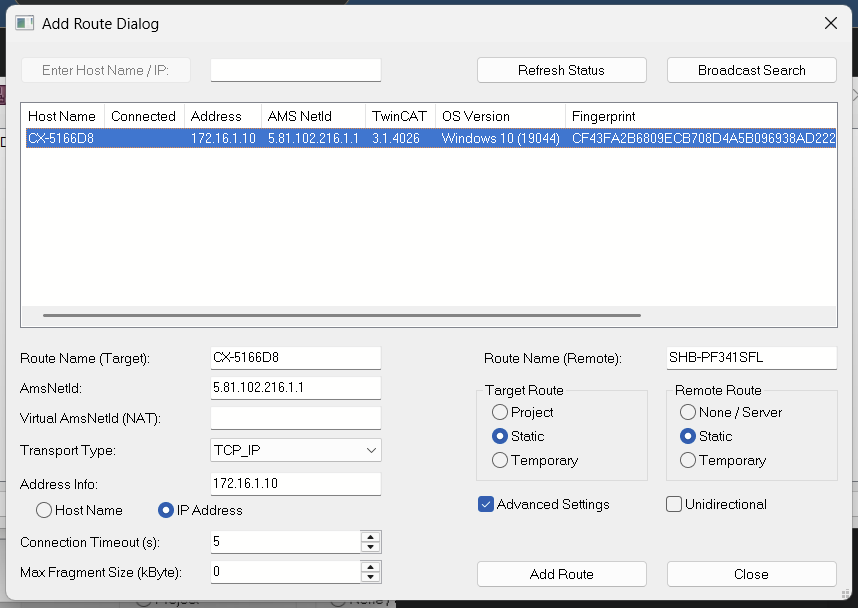
Follow the steps to set a route from your computer to the IPC
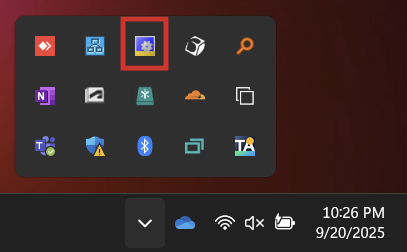
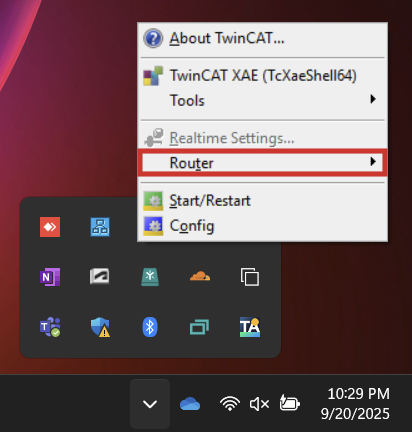
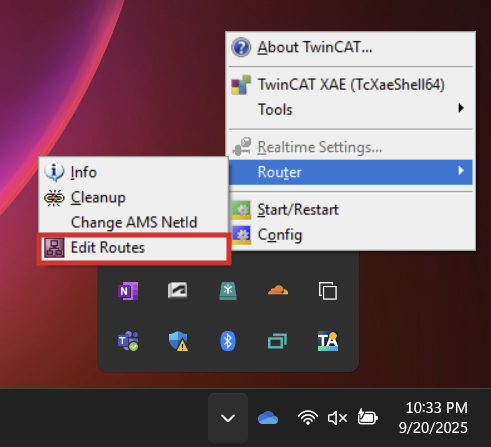
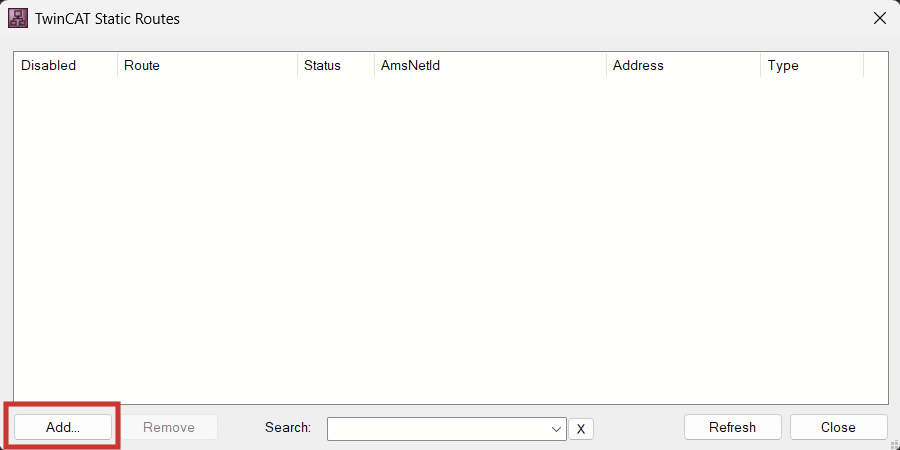
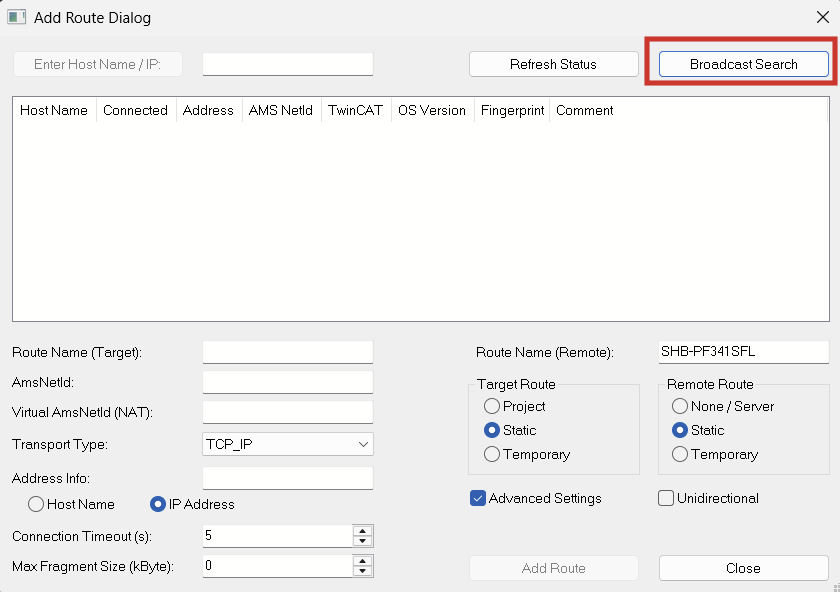
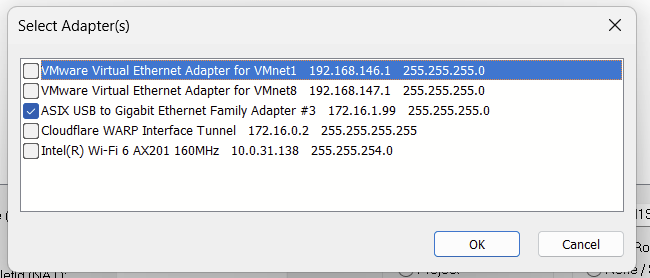
Only select the adapter that you are searching on. Ensure your adapter is on the same subnet as the IPC you are scanning for.
If you don't know the address of the IPC, DHCP should work to detect the IPC. You can then change your subnet.
If the broadcast is successful, the IPC and its AMS NetId should show up.
Expand advanced settings and make sure that you save the route by IP Address, not Host Name.
Add Route
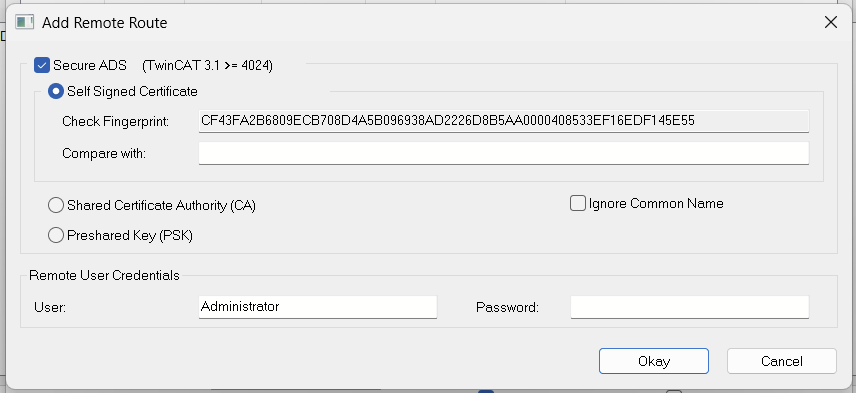
Default password is "1". Click Okay then close the popup
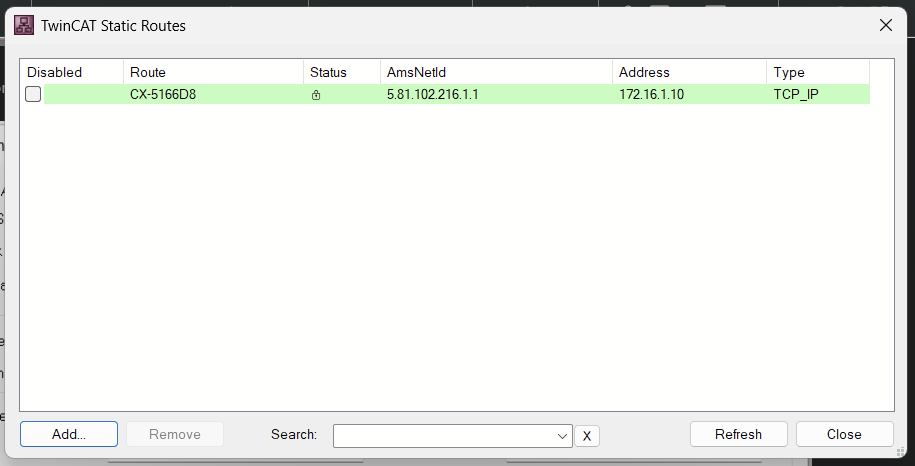
You have now added a static route to your computer.
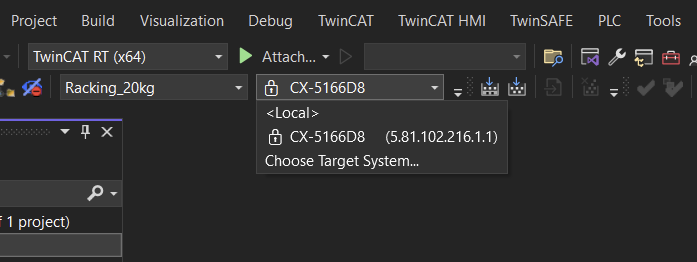
In your project, you should now be able to target your IPC. The associated Net ID will be displayed alongside the Name.
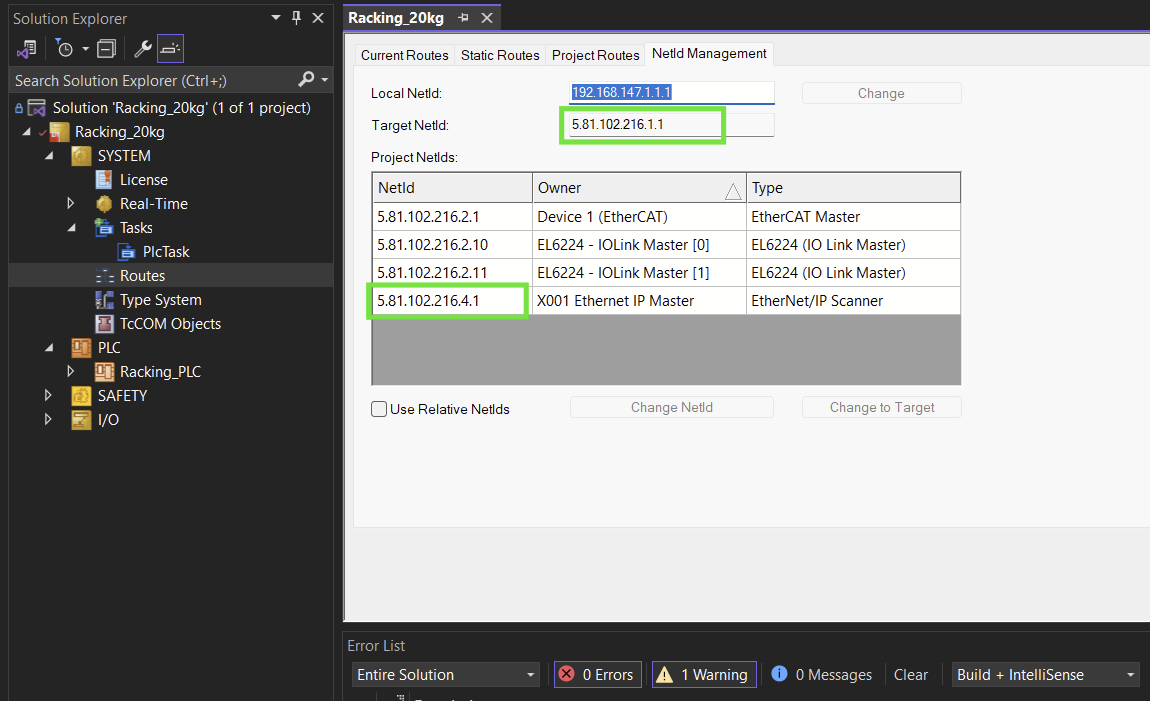
Check your NetId project routes. In the following picture, the X001 Ethernet IP Master has the incorrect Net ID subnet (first four octets)
This Net ID needs to be updated to match the Subnet of the Target ID, which is the NetID of the IPC iteself.
Local NetID: The computer you are currently using
Target Net ID: The IPC that the program is targeting.
Project NetIDs: The IDs of all the virtual and hardware components attached to the project. They need to have the same first four octets as the Target. The last two octets are set based on the function of the project component. (see Beckhoff documentation for list)
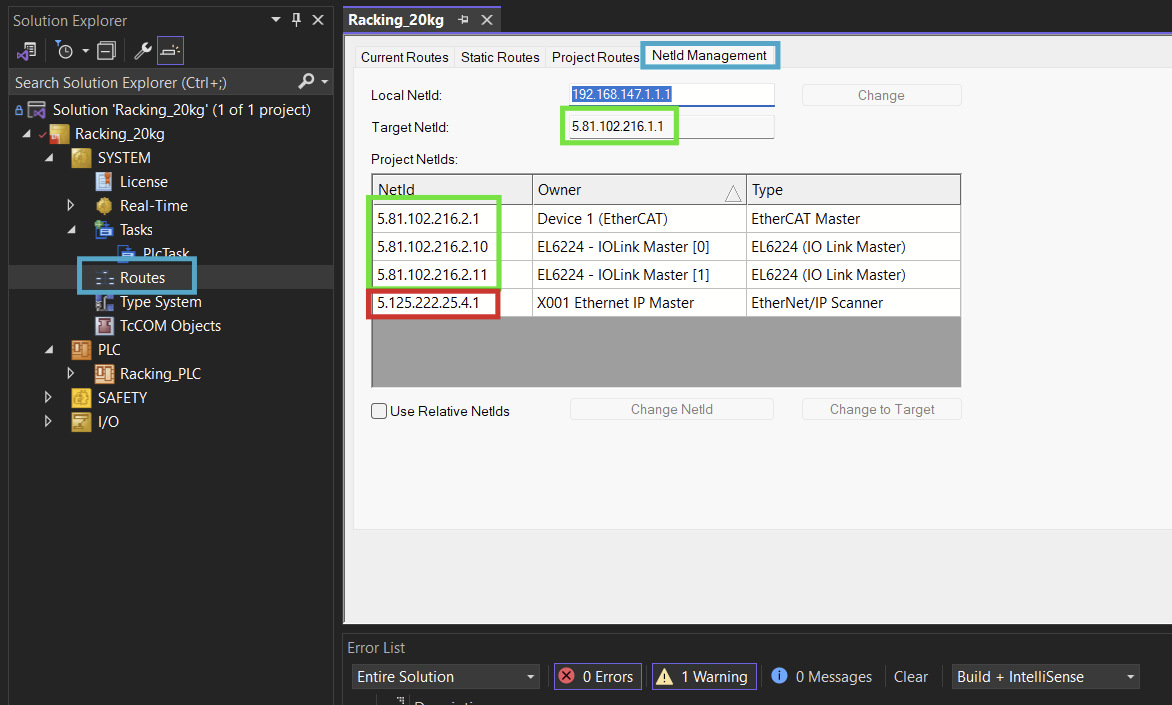
The Net ID is corrected